Unix Administration Basics - ITU Online Old Site

Unix Administration Basics

In this course you will learn VirtualBox, basic commands, special characters, file editing, filesystem structure, finding files, shell special characters, regular expressions, process management, job scheduling, customizing your account, UNIX printing, networking, X Windows, backup and compression, text utilities, shell scripting, and system administration basics

Included In This Course

Included In This Course

Total Hours
Unix Administration Basics
0 On-demand Videos
Closed Caption

Closed Captions

Course Topics
0  Topics
Prep Questions
0 Prep Questions
Unix Administration Basics

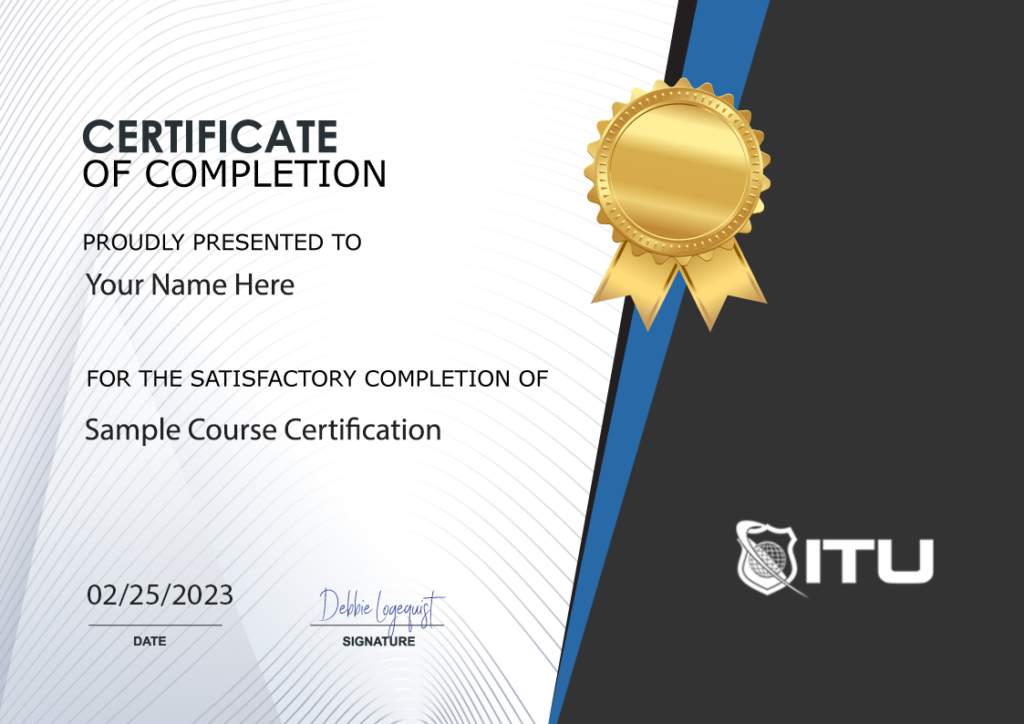
Certificate of Completion

Course Description

About our online unix course

With our online Unix Administration Basics course, you’ll have the opportunity to gain expertise in VirtualBox, including basic commands and special characters; editing files, filesystem structure and finding them; shell-specific symbols and regular expressions for greater process management efficiency; customizing your account settings as well as UNIX printing and networking know-how – not to mention X Windows, backup/compression methods, bash scripting skills, text utilities mastery like an expert shell scripting… all capped off by system administration basics!

In the corporate world, UNIX is widely used on mainframes, servers, and even supercomputers. This comprehensive online course will give you a thorough understanding of Unix theories and applications in preparation for a certification after gaining work experience. Upon completion of this program, you’ll be ready to start your career as an entry-level system engineer or analyst in Unix technology – IT specialist or programmer analyst positions are also attainable with what you learn here!

What will learn additional skills

  • Uncover the essential syntax and instructions to master your programming language.
  • Master the art of navigating and utilizing a file system, as well as construct effective strategies for managing files.
  • Uncover the intricate connection between UNIX, networking, security and applications to enhance your knowledge.

What are the advantages for you?

  • Demonstrate your proficiency and proper techniques in UNIX-based principles and concepts by taking certifications to validate your skillset.
  • Get ready to work with UNIX services and occupy an information technology position.

Frequently Asked Questions About Unix Administration Basics

What will I learn in the Unix Administration Basics IT course?

You’ll dive into a ton of interesting stuff! The course covers VirtualBox, basic commands, special characters, file editing, filesystem structure, and finding files. You’ll also get to grips with shell special characters, regular expressions, process management, and job scheduling. But that’s not all! You’ll also learn how to customize your account, get down with UNIX printing, networking, X Windows, backup and compression, and text utilities. To top it all off, you’ll gain some system administration basics too.

How is the course structured?

This course is a journey, my friend, with 18 topics that are split into bite-sized chunks. Each topic has multiple parts, which means you’ll be able to take it at your own pace. You’ll start with learning about VirtualBox, move onto basic commands, and then explore special characters. From there, you’ll delve into file editing, filesystem structure, finding files, and much more. It’s a comprehensive experience designed to give you a thorough understanding of Unix administration basics​.

What resources are available to me during the course?

You’re in for a treat! The course offers 13 hours of training through 106 on-demand videos. You’ll also get closed captions, which is a great help if you prefer to read along. In addition, there are 60 prep questions to help you gauge your understanding and a certificate of completion once you’ve crossed the finish line.

What kind of positions can I aim for after completing this course?

After completing this course, you’ll be ready to start your career in tech! You could aim for an entry-level system engineer or analyst in Unix technology. If you’re thinking of being an IT specialist or programmer analyst, this IT training course has got you covered too.

Are there any additional skills I can expect to learn?

Absolutely! Apart from the core Unix Administration concepts, you’ll also uncover essential syntax and instructions to master your programming language. You’ll get the hang of navigating and utilizing a file system, and construct effective strategies for managing files. Plus, you’ll learn about the intricate connection between UNIX, networking, security, and applications.

What are the benefits of taking this course?

This online course will set you up for success in many ways. You’ll be able to demonstrate your proficiency in UNIX-based principles and concepts, and you could even take certifications to validate your skillset. Plus, you’ll be ready to work with UNIX services and take up an IT position. So, it’s not just about the learning, but also about opening up new career opportunities.

Proudly Display
Your Achievement

Upon completion of your training, you’ll receive a personalized certificate of completion to help validate to others your new skills.
Example Certificate

Course Outline

Add a review
Currently, we are not accepting new reviews
4.8
Based on 82 reviews
1-5 of 82 reviews
  1. AM

    Mary Beth helped me. She was wonderful.

  2. NM
  3. AA
  4. K
  5. BO
Unix Administration Basics
 

Subscribe To All-Access
Lock In $14.99 / Month Forever

Start this course for free with our 10-day trial of the all-access subscription providing access to over 2,600 hours of training.

$49.00 $14.99 Monthly
OR

$49.00

Unix Administration Basics

Unix Administration Basics
Additional Options to Access This Training
This training is also part of our extensive training library containing over 225 courses, 12,000+ videos and over 19,000 practice test questions.

Monthly All-Access Subscription
7 Days Free - $39.00 / month

A great option at an affordable monthly price.

Annual All-Access Subscription
$229 / year

A discounted price when paying for your All Access library on an annual basis.

Lifetime All-Access Library
$379 One time payment

Exceptional Value. Pay once, never have to buy IT training again.

Related Courses

$49.00

Take your Windows 10 skills to the next level with our Power User training course. Boost your productivity with expert tips and tricks.

With the ITU course bundle, students will gain a competitive edge by unlocking the full potential of Windows 10. The comprehensive Microsoft Windows 10 Power User course provides valuable insight into using this platform effectively and efficiently so that novices can become power users in no time at all! Through hands-on training and engagement with experts, you’ll be well on your way to mastering Windows 10 before you know it.

Add To Cart

$49.00

Get started with IT fundamentals by taking the Microsoft MTA 98-367 course. Learn the basics of security, network infrastructure, and more!

Ready to jumpstart your tech career? The Microsoft MTA 98-367 – Security Fundamentals course provides the necessary skills and knowledge for you to ace the Microsoft MTA 98-367 exam. Developed by experts, this training offers a comprehensive overview of essential technology concepts from Microsoft Technology Associate (MTA) certification exams which are set up to verify basic understandings needed when beginning work with Windows technologies.

Add To Cart

$49.00

Prepare for the Microsoft 70-686 Pro: Windows 7, Enterprise Desktop Administrator exam with our expert-led training. Enroll now!

In this Microsoft 70-686 course, students will learn how to efficiently plan and deploy Windows 7 desktops in large organizations. By the end of the course, students should be able to confidently design, configure, and manage any Windows 7 client environment.

Add To Cart