Microsoft Outlook 2016 Training - ITU Online Old Site

Microsoft Outlook 2016 Training

With this Microsoft Outlook 2016 training course, you will learn the four major components of Outlook including contacts, email, calendars, and tasks. You will also learn about the OneNote application that provides a cross-platform and cross-application note taking tool. This course covers all the bases, including Basic Outlook 2016, Intermediate Outlook 2016 and Advanced Outlook 2016.

Included In This Course

Included In This Course

Total Hours
Microsoft Outlook 2016 Training
0 On-demand Videos
Closed Caption

Closed Captions

Course Topics
0  Topics
Prep Questions
0 Prep Questions
Microsoft Outlook 2016 Training

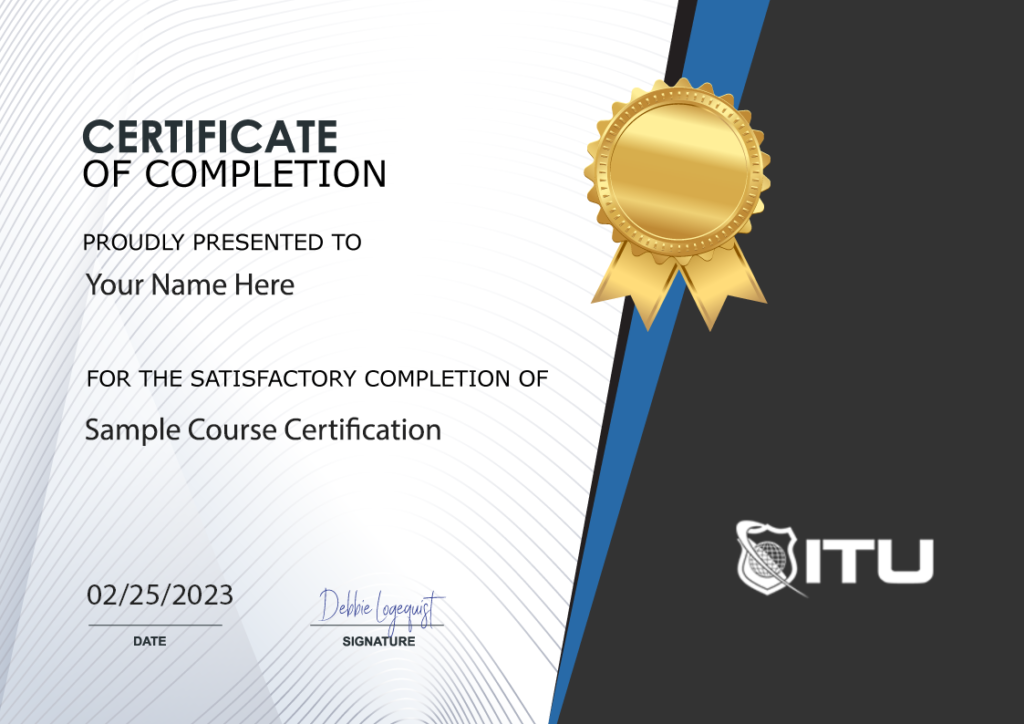
Certificate of Completion

Course Description

Microsoft Outlook 2016 Training: Course Description

Introduction to Outlook Mastery: Embark on a transformative journey with our Microsoft Outlook 2016 training. This course provides a deep dive into the essential features of Outlook, equipping you with the skills to manage emails, calendars, contacts, and tasks efficiently. Tailored for both beginners and experienced users, the training ensures a comprehensive understanding of Outlook’s powerful capabilities.

Structured Learning Path: Our curriculum is meticulously designed, beginning with the fundamentals of email management and gradually progressing to sophisticated techniques in calendar optimization and task management. Each module is crafted to build upon the previous, ensuring a seamless learning experience.

Practical Application: The course emphasizes real-world applications, offering practical exercises that mirror everyday scenarios. This hands-on approach not only enhances your learning experience but also prepares you to apply these skills effectively in your professional life.

Enhancing Productivity with Microsoft Outlook: Course Benefits

Skill Advancement: Completing this course will significantly enhance your proficiency in Outlook 2016. You’ll master organizing your emails, managing appointments, and keeping track of your tasks and contacts, which are crucial skills in today’s digital workspace.

Professional Development: This training is more than just learning software; it’s about elevating your professional capabilities. Efficient email and calendar management are key to staying organized and productive in any workplace, making these skills highly valued.

Certification and Credibility: Upon successful completion, you’ll receive a certificate, endorsing your expertise in Microsoft Outlook 2016. This certification not only adds value to your resume but also boosts your credibility in professional circles.

Who Should Undertake Microsoft Outlook Training: Target Audience

Broad Appeal: Whether you’re a student, an office professional, or someone looking to enhance personal productivity, this course is for you. It’s designed to cater to a wide range of users, from those new to Outlook to those seeking to refine their existing skills.

Career Enhancement: For professionals aiming to streamline their workflow and communication, this course is a valuable asset. It’s particularly beneficial for those in roles requiring efficient organization and communication.

Lifelong Learning: Our course encourages continuous personal and professional development. Mastering Outlook 2016 not only boosts your productivity but also enhances your overall ability to manage information and time effectively.

Frequently Asked Questions Related to Microsoft Outlook

How do I set up my email account in Outlook?

To set up your email in Outlook, go to the ‘File’ tab, select ‘Add Account,’ and enter your email address. Follow the prompts to complete the setup.

Can I organize emails into folders in Outlook?

Yes, Outlook allows you to create custom folders. Right-click on your inbox or existing folder, select ‘New Folder,’ and name it as desired.

How do I use the calendar in Outlook?

Access the calendar via the calendar icon. You can add events by clicking on the desired date and time, and enter details like location and attendees.

Is it possible to set reminders for tasks in Outlook?

Absolutely. When creating a task, you can set a reminder by specifying a date and time in the task’s details.

Can I customize the appearance of Outlook?

Yes, Outlook offers various customization options. Go to ‘File,’ select ‘Options,’ and explore the ‘Mail’ tab for themes and layout settings.

Proudly Display
Your Achievement

Upon completion of your training, you’ll receive a personalized certificate of completion to help validate to others your new skills.
Example Certificate

Course Outline

Add a review
Currently, we are not accepting new reviews
4.8
Based on 82 reviews
1-5 of 14 reviews
  1. A
  2. MF
  3. AT

    I’ve enjoyed the training so far. Wish it was more focused on Linux like other training, but still good.

  4. F

    The educators at ituonline.com are highly skilled but could improve their methods of instruction. In the CCNA 200-301 course, there’s a heavy emphasis on oral lectures, and it would be beneficial to include more in-depth visual aids. Annotating labs and graphics could also make the educational journey more effective. On the other hand, the N10-008 course instructor consistently offers top-notch material.

  5. JT

    This course is super detailed but not boring, and they give you cool projects to actually practice what you’re learning.

Microsoft Outlook 2016 Training
 

Subscribe To All-Access
Lock In $14.99 / Month Forever

Start this course for free with our 10-day trial of the all-access subscription providing access to over 2,600 hours of training.

$49.00 $14.99 Monthly
OR

$49.00

Microsoft Outlook 2016 Training

Microsoft Outook 2016
Microsoft Outlook 2016 Training
Additional Options to Access This Training
This training is also part of our extensive training library containing over 225 courses, 12,000+ videos and over 19,000 practice test questions.

Monthly All-Access Subscription
7 Days Free - $39.00 / month

A great option at an affordable monthly price.

Annual All-Access Subscription
$229 / year

A discounted price when paying for your All Access library on an annual basis.

Lifetime All-Access Library
$379 One time payment

Exceptional Value. Pay once, never have to buy IT training again.

Related Courses

$49.00

Get proficient in Microsoft Word with our comprehensive online training course. Boost your skills and increase productivity. Enroll now!

Learn how powerful Word is with our Word 2019 training course. Microsoft Word is the most widely-used word processing software, and its presence in both personal and professional use worldwide is undeniable. And while it already offers a plethora of features to boost productivity, Microsoft has been continuously innovating with each new version they release.

Add To Cart

$49.00

Take your Access skills to the next level with our in-depth training course. Become a pro at designing and managing databases.

This Microsoft Access 2013 Training course teaches users to store data on their computer and also publish it online, enabling other authorized individuals to access the database via a web browser. Access databases can be used for storing virtually any type of information imaginable – from inventory details to contacts or business processes.

Add To Cart

$49.00

Become a PowerPoint pro with our online training course! Learn the ins and outs of Microsoft PowerPoint with our comprehensive course. Start today!

This PowerPoint 2010 Training is designed to teach you the fundamentals of Microsoft Office PowerPoint 2010 software, from basic features all the way to advanced. PowerPoint is an incredible visual application used for constructing presentations that range anywhere from text, shapes and illustrations to animation, videos and more!

Add To Cart