Note: Although the associated examination for this course has been retired, it is a good resource for online training.
Course Description
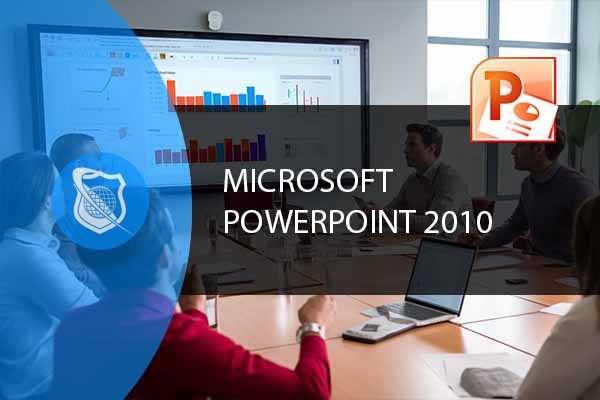
Unlock the Power of Presentations with Microsoft PowerPoint 2010
Dive into the comprehensive world of Microsoft PowerPoint 2010 with our meticulously designed course. From the foundational aspects to advanced functionalities, this course guides you through the intricacies of one of the most popular presentation tools globally. Begin your journey with basic features, and gradually ascend to mastering sophisticated elements like custom animations and video integration.
A Comprehensive Curriculum for All Levels
Our curriculum is tailored to accommodate learners at varying skill levels. Whether you are starting from scratch or looking to enhance your existing PowerPoint skills, this course offers a structured learning path. The modules are carefully crafted, starting with fundamental concepts and progressively delving into complex techniques, ensuring a thorough grasp of each aspect of PowerPoint 2010.
Interactive and Engaging Learning Experience
We believe in a learning experience that goes beyond traditional lectures. This course incorporates a mix of instructional videos, interactive quizzes, and hands-on projects. Catering to different learning styles, we ensure that every student, whether a visual, auditory, or kinesthetic learner, finds the course engaging and enriching.
Course Benefits
Skill Enhancement for Professional Growth
This course is more than just learning how to use PowerPoint; it’s about enhancing your presentation skills, crucial in today’s professional world. By the end of this course, you’ll be adept at creating visually appealing and impactful presentations that can elevate your professional presentations and pitches.
Open Doors to New Opportunities
In the modern workplace, proficiency in PowerPoint is often a requisite. Completing this course not only adds a valuable skill to your resume but also opens up new career opportunities, from corporate roles that require regular presentations to creative fields where visual expression is key.
Real-World Applications and Case Studies
Our course is designed to provide practical knowledge that can be directly applied in a professional setting. Engage in real-world case studies and projects that simulate actual business scenarios, ensuring that the skills you acquire are not just theoretical but immediately applicable.
Who Is The Course For
A Course for Everyone: From Novices to Seasoned Professionals
Whether you are a student, a business professional, or someone looking to hone their presentation skills, this course is designed for you. It caters to beginners needing a solid foundation in PowerPoint as well as to those looking to refine and update their existing skills.
Tailored Learning Outcomes for Diverse Needs
Expect to emerge from this course with a robust set of skills, including creating standard and custom presentations, incorporating multimedia elements, and employing advanced animation techniques. Our goal is for each student to leave with the confidence to tackle any presentation challenge.
No Prior Experience Required
This course welcomes all, regardless of your prior experience with PowerPoint. Our introductory modules ensure that even those new to PowerPoint can comfortably start and gradually build their proficiency.
Frequently Asked Questions About Microsoft PowerPoint 2010 Training
What will I learn in the Microsoft PowerPoint 2010 Training course?
In the Microsoft PowerPoint 2010 Training course, you will learn a wide range of skills, from the basics of creating and formatting presentations to advanced techniques like custom animations and integrating multimedia elements. This course covers everything you need to become proficient in PowerPoint 2010, whether for academic, professional, or personal use.
Is the Microsoft PowerPoint 2010 Training course suitable for beginners?
Absolutely! The Microsoft PowerPoint 2010 Training course is designed to accommodate learners at all levels. It begins with fundamental concepts, making it perfect for beginners. Gradually, the course advances to more complex topics, ensuring a comprehensive learning experience for all participants.
How long does it take to complete the Microsoft PowerPoint 2010 Training course?
The duration of the Microsoft PowerPoint 2010 Training course varies depending on your learning pace. Typically, learners can complete the course within a few weeks if they dedicate a few hours each week. The course is self-paced, allowing you to learn at your convenience.
Are there any prerequisites for enrolling in the Microsoft PowerPoint 2010 Training course?
There are no specific prerequisites for the Microsoft PowerPoint 2010 Training course. It is designed for individuals of all backgrounds and skill levels. Whether you are new to PowerPoint or have some experience, this course will enhance your presentation skills significantly.
Upon completion of the Microsoft PowerPoint 2010 Training course, will I receive a certification?
Yes, upon successful completion of the Microsoft PowerPoint 2010 Training course, participants will receive a certificate of completion. This certificate can be a valuable addition to your professional portfolio, showcasing your expertise in Microsoft PowerPoint 2010.
To see more Microsoft related training, Visit the Microsoft Website.






 CompTIA
Train for a globally recognized IT certification with our comprehensive CompTIA courses.
A+ | Network+ | Security+
CompTIA
Train for a globally recognized IT certification with our comprehensive CompTIA courses.
A+ | Network+ | Security+
 Cybersecurity
Master the art of combating cybersecurity threats and become a cyber hero.
Ethical Hacking (CEH) | CISSP | CISM
Cybersecurity
Master the art of combating cybersecurity threats and become a cyber hero.
Ethical Hacking (CEH) | CISSP | CISM
 Cloud Computing
An essential skill set in today's IT environments. Learn cloud computing platforms
Azure Administrator | Google Cloud | AWS Practitioner
Cloud Computing
An essential skill set in today's IT environments. Learn cloud computing platforms
Azure Administrator | Google Cloud | AWS Practitioner
 Project Management
Key to successful projects, learn the skills and methodolgy behind project management.
PMP | Risk Mgmt | Agile PM
Adobe
Business & Management
Cisco
Cloud Computing
CompTIA
Computer Support
Cybersecurity
Data Administration
Data Analysis
Development & Programming
Marketing & Social Media
Medical Coding & Billing
Microsoft
Microsoft Office
Network Administration
Networking & Software
Project Management
Web Development
Project Management
Key to successful projects, learn the skills and methodolgy behind project management.
PMP | Risk Mgmt | Agile PM
Adobe
Business & Management
Cisco
Cloud Computing
CompTIA
Computer Support
Cybersecurity
Data Administration
Data Analysis
Development & Programming
Marketing & Social Media
Medical Coding & Billing
Microsoft
Microsoft Office
Network Administration
Networking & Software
Project Management
Web Development







Mary Beth helped me. She was wonderful.