Microsoft Word 2016 Training - ITU Online Old Site

Microsoft Word 2016 Training

This Microsoft Word 2016 training course will teach you how to improve your Microsoft Office Word 2016 skills. You will learn how to maximize this industry standard word processing system by mastering document creation. This online training course will cover Basic Word 2016, Intermediate Word 2016 and Advanced Word 2016.

Included In This Course

Included In This Course

Total Hours
Microsoft Word 2016 Training
0 On-demand Videos
Closed Caption

Closed Captions

Course Topics
0  Topics
Prep Questions
0 Prep Questions
Microsoft Word 2016 Training

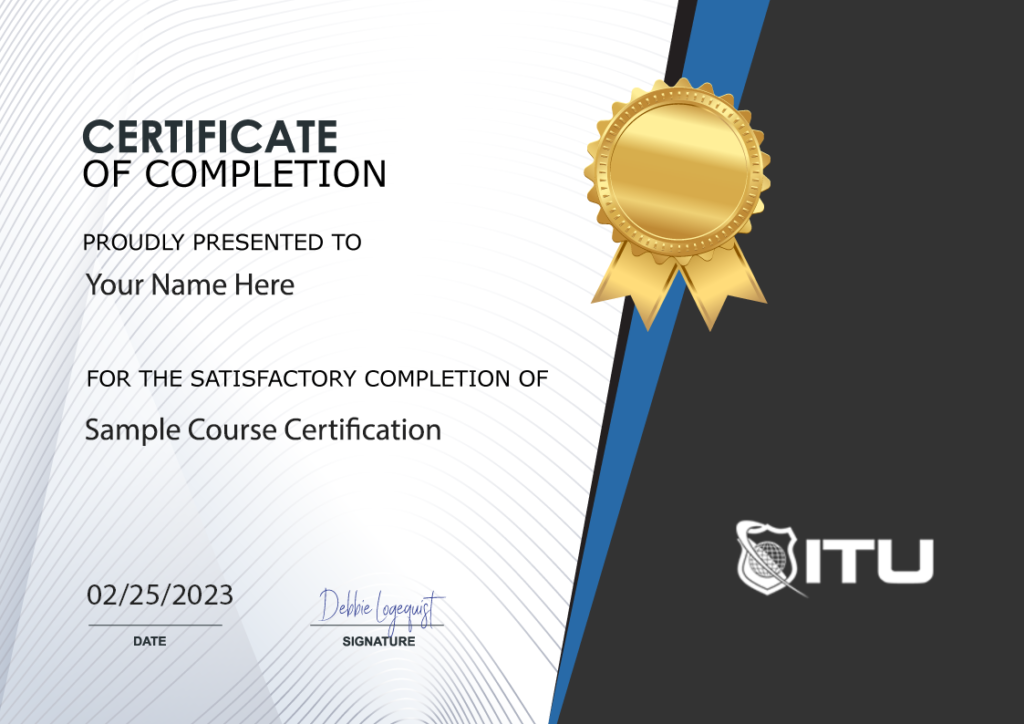
Certificate of Completion

Course Description

Note: Even though this course is based on an older version, it is still a worthwhile resource for online learning and training.

Course Description

Master Microsoft Word 2016: From Basics to Advanced Embark on a comprehensive journey with our Microsoft Word 2016 Training. Designed for learners at all levels, this course empowers you to master the full spectrum of Microsoft Word 2016, from fundamental basics to advanced functionalities. Dive deep into the world of professional document creation and discover the robust features of this industry-standard word processor. Enhance your skillset, whether for personal growth or professional advancement, and stay ahead in today’s fast-paced digital environment.

Course Benefits

Unlock the Full Potential of Word 2016 Our Microsoft Word 2016 course offers unparalleled benefits. Gain expertise in creating standout documents, managing complex projects, and utilizing advanced Word features. Our targeted approach ensures that you develop practical skills applicable in both personal and professional contexts. With exclusive access to resources like on-demand videos, hands-on exercises, and expert guidance, you’ll emerge as a proficient Word 2016 user, ready to tackle any challenge in your career or academic pursuits.

Who Is The Course For

For Everyone: Students, Professionals, and Enthusiasts This course is a perfect fit for a diverse range of learners. Whether you’re starting your journey in word processing, looking to sharpen your existing skills, or aiming to explore the advanced features of Microsoft Word 2016, our training is tailored to meet your needs. Ideal for students, professionals, entrepreneurs, and anyone keen to enhance their productivity and document management skills, this course is your gateway to becoming proficient in Microsoft Word 2016.

Microsoft Word 2016 Training: Frequently Asked Questions

What version of Microsoft Office does the Microsoft Word 2016 Training course cover?

Our course is specifically tailored to Microsoft Word 2016, ensuring you gain expertise in this particular version. We cover everything from basic functionalities to advanced features, providing comprehensive knowledge and skills relevant to Microsoft Word 2016.

Is the Microsoft Word 2016 Training suitable for beginners?

Absolutely! The course is designed to cater to learners at all levels, starting with basic principles and gradually advancing to more complex aspects of Microsoft Word 2016. Beginners will find a solid foundation to build their skills.

Can I access the Microsoft Word 2016 course materials offline?

While our primary focus is on providing online, on-demand training, some materials and resources for the Microsoft Word 2016 Training course may be available for offline use. Check the course specifics for more details.

How long does it take to complete the Microsoft Word 2016 Training?

The duration varies depending on your pace. The course is designed to be flexible, allowing you to learn Microsoft Word 2016 at a speed that suits your schedule and learning style.

Do I receive a certification after completing the Microsoft Word 2016 Training?

Yes, upon successful completion of the course, you will receive a certificate of completion, showcasing your proficiency in Microsoft Word 2016.

Proudly Display
Your Achievement

Upon completion of your training, you’ll receive a personalized certificate of completion to help validate to others your new skills.
Example Certificate

Course Outline

Add a review
Currently, we are not accepting new reviews
4.8
Based on 82 reviews
1-5 of 14 reviews
  1. A
  2. MF
  3. AT

    I’ve enjoyed the training so far. Wish it was more focused on Linux like other training, but still good.

  4. F

    The educators at ituonline.com are highly skilled but could improve their methods of instruction. In the CCNA 200-301 course, there’s a heavy emphasis on oral lectures, and it would be beneficial to include more in-depth visual aids. Annotating labs and graphics could also make the educational journey more effective. On the other hand, the N10-008 course instructor consistently offers top-notch material.

  5. JT

    This course is super detailed but not boring, and they give you cool projects to actually practice what you’re learning.

Microsoft Word 2016 Training
 

Subscribe To All-Access
Lock In $14.99 / Month Forever

Start this course for free with our 10-day trial of the all-access subscription providing access to over 2,600 hours of training.

$49.00 $14.99 Monthly
OR

$49.00

Microsoft Word 2016 Training

Microsoft Word 2016 Training
Additional Options to Access This Training
This training is also part of our extensive training library containing over 225 courses, 12,000+ videos and over 19,000 practice test questions.

Monthly All-Access Subscription
7 Days Free - $39.00 / month

A great option at an affordable monthly price.

Annual All-Access Subscription
$229 / year

A discounted price when paying for your All Access library on an annual basis.

Lifetime All-Access Library
$379 One time payment

Exceptional Value. Pay once, never have to buy IT training again.

Related Courses

$49.00

Master Microsoft Excel with our comprehensive online course. Learn formulas, functions, and more in this hands-on training series. Enroll now!

Microsoft Excel is the go-to spreadsheet application, no matter if you’re using it personally or professionally. Whether your knowledge of Microsoft Excel is beginner’s level or advanced, this Microsoft Excel 2019 Training online course will help take your abilities to a new height – covering topics from basic to intermediate and even advanced.

Add To Cart

$49.00

Learn Microsoft Excel with our online course. Master Excel with ease and improve your skills in data analysis, calculation, and organization.

In this Excel 2013 course, you will learn Excel is an unrivaled instrument for managing and interpreting large datasets. Moreover, it can be used to run simple calculations and organize almost any kind of information. Specifically, Excel enables you to track data, devise models for analyzing the same data, compose formulas that perform computations with such info, pivot the aforementioned data in many different ways and create a variety of elegant-looking charts.

Add To Cart

$49.00

Learn Microsoft Outlook and improve your productivity with our comprehensive online course. Get certified with ITU Online! Enroll now.

Become an expert with our Outlook 2013 course. Microsoft Outlook 2013 provides its more than 500 million Office users with an amazing collection of business and personal email management tools. With the introduction of Outlook 2013, these global individuals now have access to a range of experiences that better cover their needs in life – whether at work, home or school.

Add To Cart